Some of the best vacation-rental technology does not create more work or demand constant attention. It quietly removes repetitive tasks from your day.
That has been our experience with the smart-lock and thermostat integrations available through Hospitable. We began using these integrations at the beginning of 2026, connecting Schlage smart locks and compatible Honeywell and Ecobee thermostats across our vacation rentals.
Smart-lock and thermostat integrations are now likely available through a number of property-management systems. We have only used them through Hospitable, so the setup and results described here reflect our firsthand experience with that platform rather than a comparison of every PMS.
I was initially hesitant to turn property access and temperature control over to automation. Those are two important parts of operating a rental, and a failure involving either one could create an immediate guest problem. That hesitation faded quickly. The integrations have proven dependable and have become some of the most valuable operational improvements we have made.
They help us provide a smoother arrival experience, improve security, reduce unnecessary energy use and eliminate several tasks that previously had to be handled manually for every reservation.
The Products and Platform We Use
Our current smart-home setup includes:
- Schlage Encode Smart WiFi deadbolts
- A Honeywell thermostat managed through the Resideo app at one property
- Ecobee thermostats at two other properties
- Hospitable as the central platform connecting the devices to our reservations
We purchased the devices through Amazon. Prices fluctuate as manufacturers release new models and retailers offer different finishes, bundles and configurations, so I would not base a purchase solely on a price quoted in an article.
More importantly, confirm that the exact model you are considering is compatible with Hospitable. A supported brand does not necessarily mean that every device produced by that brand will work with the integration.
Why We Added Smart-Device Automation
Before integrating these devices, access and temperature control required more direct involvement.
A guest’s door code had to be created, scheduled and communicated correctly. After a checkout, someone also needed to remember to adjust the thermostat so we were not heating or cooling an empty property as though guests were still staying there.
Neither task is especially difficult on its own. The problem is that they repeat with every reservation.
As the number of reservations grows, these small responsibilities become opportunities for delays, mistakes and unnecessary expenses. The goal of automation was not to remove hospitality from the guest experience. It was to make the routine parts more reliable so we could focus our attention on the situations that genuinely require a person.
How Our Schlage Smart-Lock Automation Works
Each reservation receives a unique, time-limited access code. Hospitable connects the reservation calendar to the Schlage lock and coordinates the code with the guest’s scheduled stay.
The code becomes active at the confirmed check-in time and expires at checkout. If we approve an early check-in or late checkout, the access period can be adjusted to match the updated reservation arrangements.
We intentionally do not publish the method used to generate our guest codes. Hosts should avoid publicly sharing any predictable code formula or other security details associated with their properties.
The important point is that each guest receives temporary access for the appropriate reservation window. A previous guest’s code does not remain active indefinitely, and the next guest is not relying on a shared code that has been used by numerous people.
The Hospitality Benefit: Never Forgetting the Door Code
The greatest benefit is not simply that the lock can be controlled remotely. It is that an essential part of the arrival process is no longer dependent on someone remembering to complete a manual task at exactly the right time.
Guests receive their access information on the morning of check-in. That reduces the likelihood of last-minute messages from travelers who are preparing to arrive and wondering how they will enter the property.
From the guest’s perspective, the process feels organized and seamless. From the host’s perspective, it removes a recurring responsibility and provides peace of mind.
It also improves security because every reservation has its own access period. Guests do not need to wonder whether a former visitor still has the code, and we do not have to repeatedly change a permanent shared code by hand.
Our Thermostat Automation
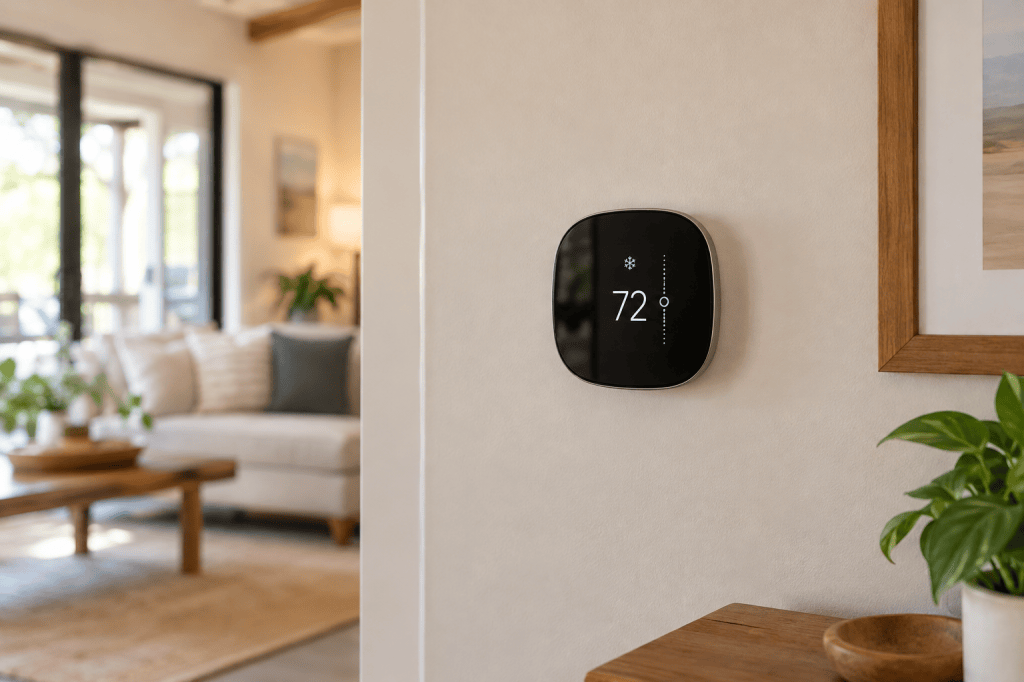
Our thermostat setup includes a Honeywell thermostat managed through the Resideo app at one rental and Ecobee thermostats at two others. The devices are connected to Hospitable so their settings can respond to reservation status.
We can create different temperature settings for three general conditions:
- Occupied
- Unoccupied
- Long-term unoccupied
When guests are staying at the property, the thermostat follows the occupied settings established for that home. After checkout, it can move to an unoccupied setting rather than continuing to heat or cool the property at the same level.
Longer vacancies can use a separate setting designed to conserve more energy while still protecting the property from extreme temperatures.
The settings require some thoughtful preparation. A vacation rental in Pennsylvania will not need the same winter and summer settings, and a coastal property may have different humidity or seasonal concerns. We maintain seasonal presets and manually switch to the appropriate schedule when the weather changes.
The system automates the daily transitions, but the host still needs to decide what temperatures are appropriate for the property, the climate and the season.
The Biggest Thermostat Benefit: Lower Operating Costs
The thermostat integration has produced one of the clearest operational benefits: we no longer need to remember to adjust the temperature manually after every checkout.
Without automation, a vacant property could remain at a guest-comfort setting longer than necessary. Over time, that can mean avoidable propane, heating and electricity expenses.
Automating the change between occupied and unoccupied settings helps reduce unnecessary energy use while keeping the property ready for the next reservation. It also eliminates the need to drive to a property simply to adjust the thermostat or rely on a cleaner to remember another item during a turnover.
We still monitor the homes and maintain reasonable temperature limits. The purpose is not to shut the heating or cooling system off completely. It is to avoid conditioning an empty home exactly as we would when guests are present.
Early Check-In and Late Checkout
Smart-device automation becomes even more useful when a reservation changes.
If an early arrival or late departure is approved, the smart-lock access window can be updated to match. The thermostat schedule can also remain aligned with the guest’s actual occupancy rather than following the original reservation times.
This creates a more coordinated experience. A guest who paid for or received an early check-in should not arrive to find that the door code is inactive or that the property has not yet reached a comfortable temperature.
Technology is most valuable when the different pieces support one another. The reservation schedule, door access and climate settings should all reflect the same information.
Reliability So Far
We have used these integrations since the beginning of 2026, and neither the lock integration nor the thermostat integrations have failed so far.
That track record has helped overcome my original hesitation about entrusting these responsibilities to smart technology. However, I would never recommend operating without backup procedures.
Hosts should still have:
- A backup method of entry
- Fresh batteries or a battery-replacement schedule for each lock
- A way to access the property if the internet or integration becomes unavailable
- Temperature alerts or another method of monitoring extreme conditions
- Clear instructions for cleaners or local support personnel
- A manual method for changing access and thermostat settings when necessary
Automation should make the operation more dependable, but it should not eliminate basic oversight and contingency planning.
What We Like Most
Fewer repetitive tasks
We no longer have to manually create and manage every access window or remember to change the thermostat after each reservation.
Fewer guest questions
Guests receive their arrival information automatically, reducing last-minute messages about how to access the property.
Better security
Unique, time-limited codes are preferable to a permanent code repeatedly shared with different groups.
Energy savings
The properties do not remain at occupied temperature settings throughout extended vacancies.
Better coordination
Approved early arrivals and late departures can be reflected in access and climate-control schedules.
Peace of mind
We are less dependent on remembering multiple small but important tasks during every turnover.
What Hosts Should Consider Before Buying
The first consideration is compatibility. Hospitable supports integrations with several smart-lock and thermostat companies, but compatibility can vary by model, connection type and account setup.
Check Hospitable’s current compatibility information before purchasing any device. Product support and software integrations can change, so confirm compatibility using the manufacturer and Hospitable documentation rather than relying solely on an older article or marketplace description.
You should also consider:
- Whether the device connects directly through Wi-Fi or requires an additional hub
- Whether the property has reliable internet service
- Battery life and replacement procedures
- Availability of a physical key or other backup entry method
- Who will respond if a device needs attention
- Whether the thermostat works with the property’s HVAC system
- Whether you can establish safe minimum and maximum temperatures
- Whether the automation requires a particular Hospitable subscription level
- How early check-ins and late checkouts will be handled operationally
A smart device is only useful if it works with the rest of your system.
Who Would Benefit Most From This Setup?
This type of automation is particularly valuable for:
- Hosts managing multiple properties
- Remote owners who cannot visit after every checkout
- Hosts using automated guest messaging
- Properties with frequent or back-to-back reservations
- Owners paying substantial heating, cooling or propane costs
- Hosts who regularly approve early arrivals or late departures
- Anyone still sharing a permanent door code with every guest
A host with one nearby property can also benefit, but the time savings become more noticeable as reservation volume and property count increase.
Is It Worth It?
For our operation, yes.
The Schlage smart-lock integration has improved the guest arrival process and removed the need to remember one of the most important messages associated with every reservation. The thermostat integrations have reduced manual work while helping control propane and utility costs across occupied and vacant periods.
Neither product is valuable simply because it is “smart.” The value comes from connecting the devices to real reservation information and allowing them to respond to the guest’s actual stay.
That is what turns a connected lock or thermostat from a convenient gadget into a useful vacation-rental operating tool.
The combination of Hospitable, Schlage, Honeywell/Resideo and Ecobee has worked well for us since the beginning of 2026. We will continue monitoring the devices and maintaining backup procedures, but they have already earned a permanent place in the way we operate our rentals.
Disclosure
We purchased the products and services discussed in this article and have used them in our own vacation-rental operation. We are not currently affiliated with Hospitable, Schlage, Honeywell, Resideo or Ecobee.
This article may eventually contain affiliate links. If you purchase through an affiliate link, Host-Tested Essentials may earn a commission at no additional cost to you. Our opinions are based on our firsthand experience and are not influenced by any manufacturer, retailer or software provider.


Leave a Reply